A clock, your way
Analogue, digital and hybrid layouts give the same Core design a different presence.
Loading the Core preview…

DESIGNEUR CORE / THE EVERYDAY COLLECTION
A considered face for an expressive life. Shape your everyday view with Designeur Core.
From quiet metallics to a brighter point of view. Core brings time and your chosen data into a design that feels like you.
Choose an analogue, digital or hybrid clock. Start with a preset, then customise the colours, fonts and data positions on your watch or in Connect IQ.
Explore the possibilities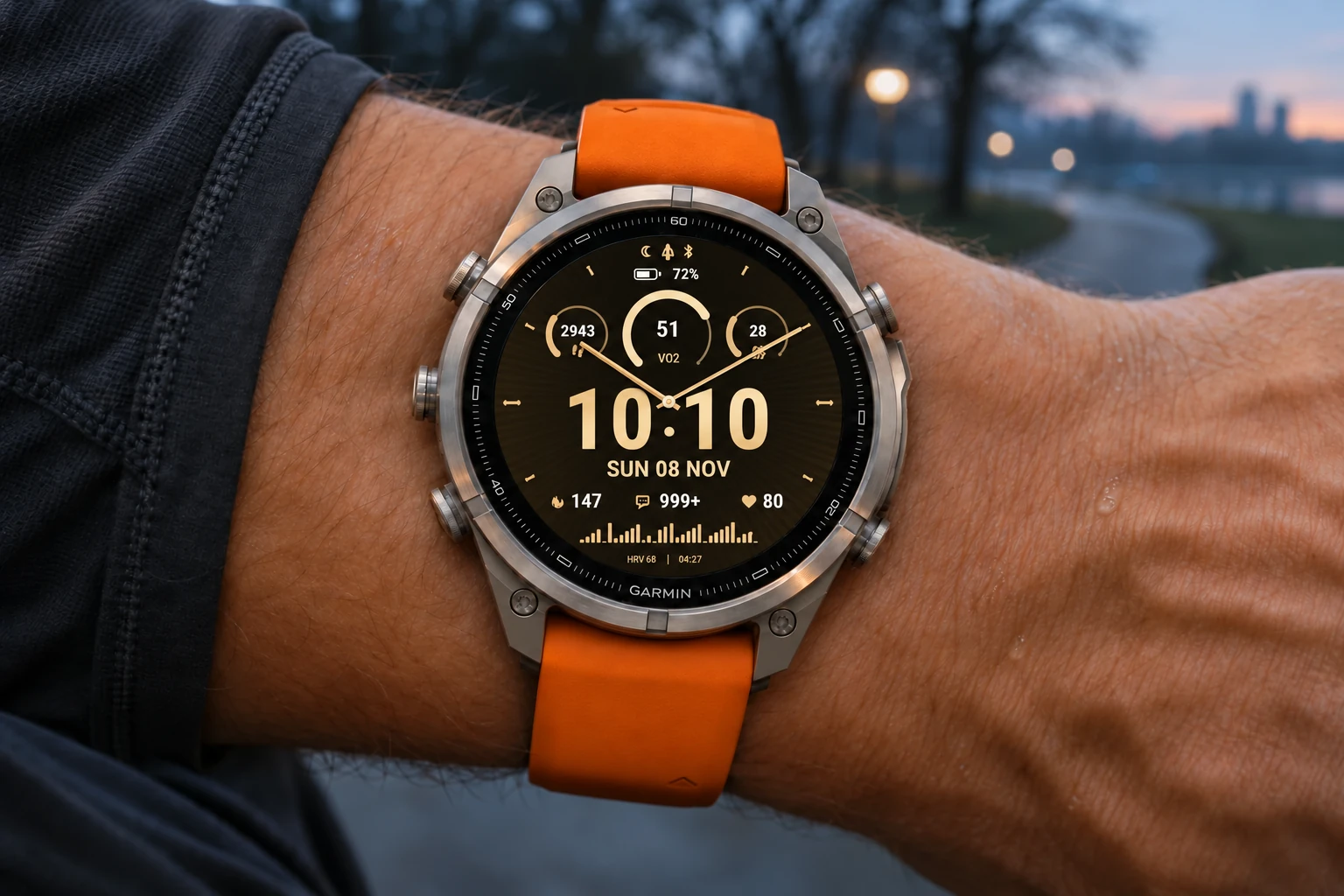 AI-created image · illustrative watch display
03 / FORM WITH PURPOSE
Keep what matters in view.
Analogue, digital and hybrid layouts give the same Core design a different presence.
Five customisable positions, optional seconds and a choice of metrics. Available health, activity and weather data depend on your watch and its permissions.
Core 1.1.54 is available on Connect IQ. It includes optional Everything bigger for larger time, date, readings and icons. New and reset layouts start with Steps, Temperature, Heart rate, Sunrise and Sunset; saved field choices are retained. Confirm your exact watch under Compatible Devices.
Explore metallic tones and expressive gradients, with optional shadows for a different finish.
CORE / IN DETAIL
Original product previews show the Core design more closely. Displayed readings are examples.
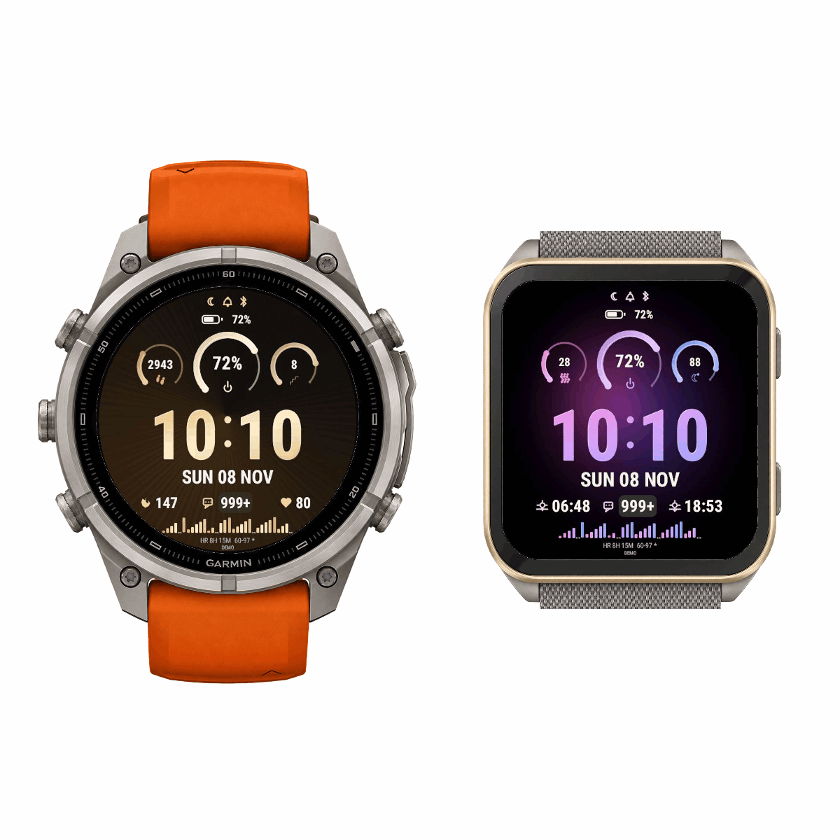
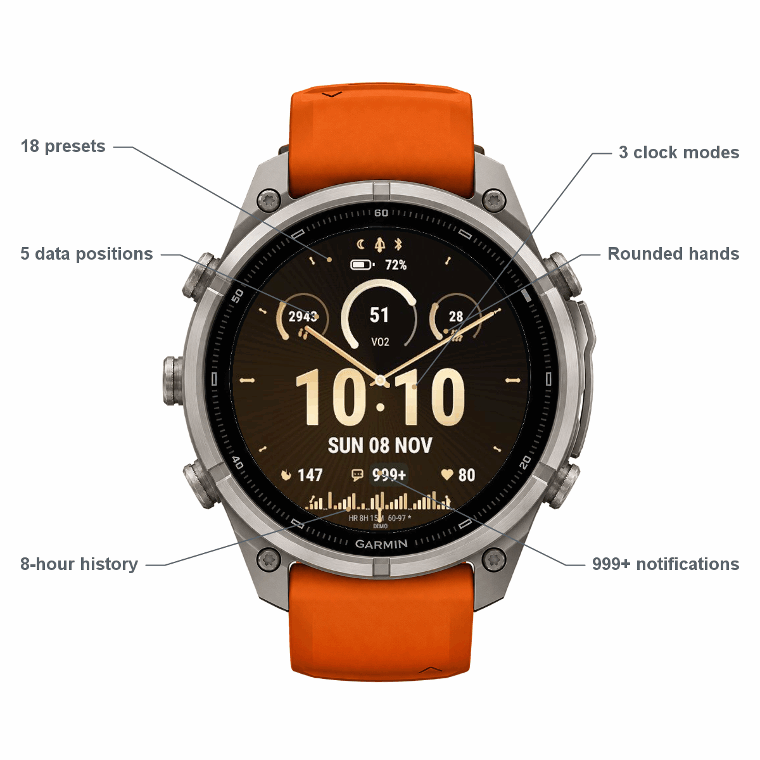
Search the Core device list below. Garmin’s Connect IQ listing is the final check for availability on your exact watch.
Loading model list…
Verify on Connect IQSupport is specific to the listed models and variants. Other Garmin watches are not implied to be compatible. Data availability and settings can differ between devices.
Open the Core listing in Connect IQ and confirm compatibility with your connected Garmin watch.
Select Download in Connect IQ, then allow your watch to sync. Keep your phone and watch connected.
Open Core’s settings in Connect IQ or use the supported on-watch settings. Choose your preset, clock mode and data fields, then save and sync.
Core is free on Connect IQ.
No. This website shows an illustrative design preview with sample data. Install Core and use its settings in Connect IQ or on your compatible watch to apply your choices.
Readings depend on the watch, supported Garmin data, permissions, connection and available history. Some data can be unavailable or delayed. Check your device and app settings first.
Weekly running and cycling use Garmin’s native complications. Swimming totals use the stored swimming activities available to the watch since Monday and may be partial. These fields do not provide sport-specific daily or monthly periods, goal-completion progress or multisport segment handling.
Email admin@designeur.com with your watch model, watch software version, Core version and the steps that reproduce the issue. A photo or screenshot can help. Please do not send passwords or sensitive health information.
RELEASE NOTES
Version 1.1.54
• Optional Everything bigger, retaining all 5 data positions.
• Familiar default readings for new/reset layouts; saved choices are preserved.
• Optimised image packing on supported watches.
• Minor bug fixes.
Version 1.1.48
• Made VO2 easier to identify in the goal rings.
• Cleaned the bright display-edge halo from watch artwork.

Also new since 1.1.27
• Centred Digital time, larger date below and smooth full-size Hybrid / Analogue hands.
• Weather temperature, sunrise and sunset fields.
• Separate Shadows switch, Off by default; Diagonal gradients by default.
• Expanded AMOLED compatibility and adaptive font support.

5 data positions, 20 metrics plus Off, 18 presets and 10 fonts. Existing valid customisations are retained.